I’m not like my brother or my friends, I don’t have a crippling sports gambling addiction, but I still need to fill my time with activities that engage my brain. However I run into the issue of biting off more than I can chew, I have more half-finished projects laying around than Da Vinci if he had the same memory issues Drew Barrymore had in 50 First Dates. Great Film.
n8n makes creating automated workflows so quick, easy, and fun – I keep coming back to it every-time I want to do something repetitive. The first big one I’ve created was something all busy people can be sold, a productivity solution. This relatively simple and very flawed n8n workflow has become my first stop each and every time I have a new project I want to start. Its just good enough and consistent enough to be useful to me as an unemployed solo developer trying to stay relevant. I’m great at starting projects but I need the organizational infrastructure to follow through on them without getting bogged down in the minutia of figuring out the “where was I and what needs to get done” when I switch gears from one project to another.
All documentation and project data are stored in Google Drive. The tasks are stored in Google Sheets that are generated and managed by the workflow, the tasks within those sheets are used in other workflows such as my Daily Schedule Generator. Ideally the user should never need to go into Google Drive to manage the data. Right now with version 1 that isn’t the case, but version 2 should get us there.
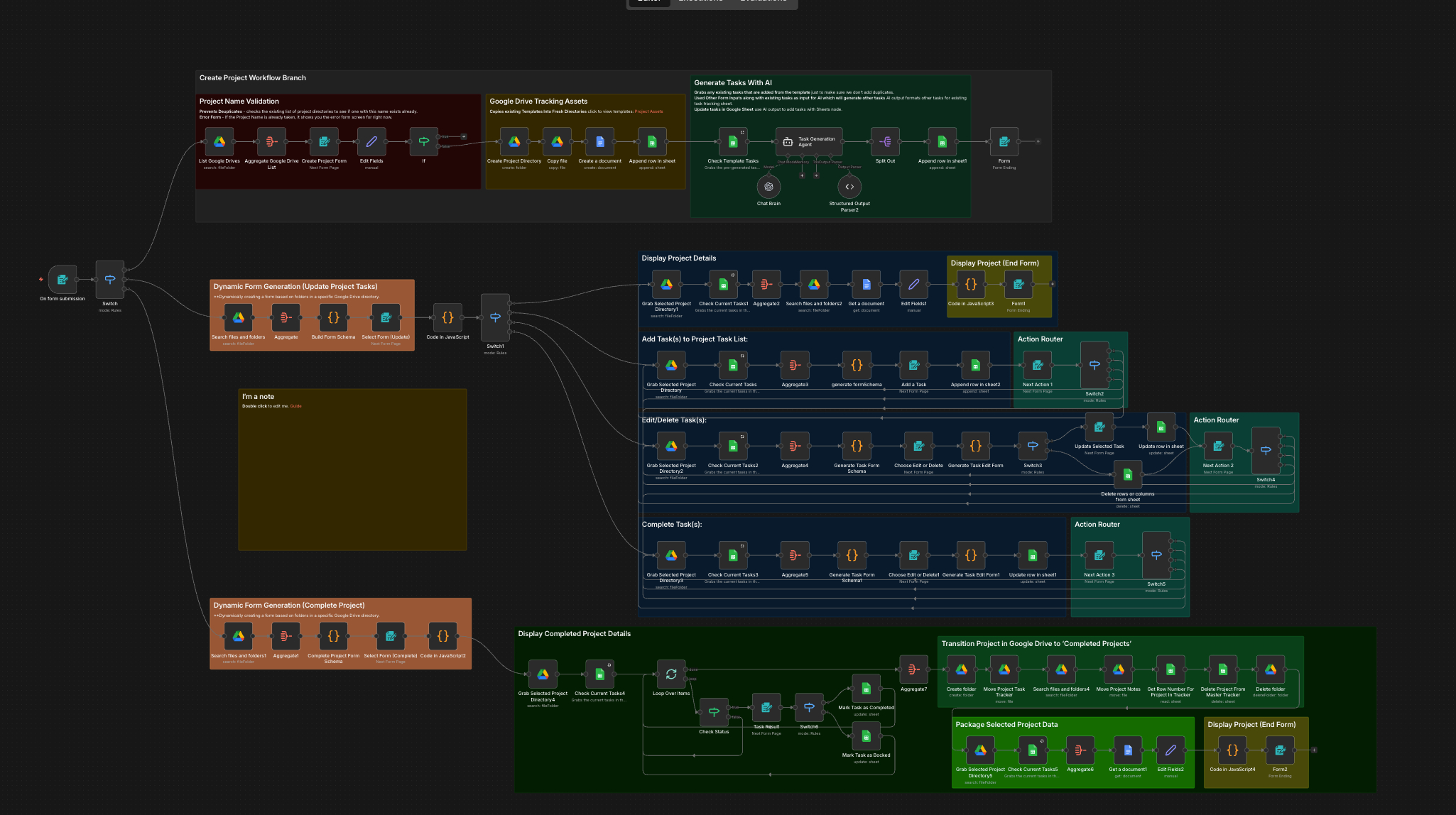
Version two will… not be the one that I can hopefully share with other humans to test and see it sparks any joy with them or if I have to go all Marie Kondo on the workflow to make it marketable. Hopefully that will be version 3 which will be up on its own website on AWS, which needs to happen, I can’t use my wordpress blog as a project management platform. The more I use it, in its current form, the better it gets for me. Therefore, I need to make a good faith effort to take steps towards making it more dynamic in v2, and take more steps to make it usable for others in v3 before I go too far down the “This is just for Jimmy” rabbit hole. Two paths diverged in a github repo, one was forked a million times the other was never even looked at again by the guy who made the repo, and that has made all the difference. I am genuinely curious about using AI to hold my hand while I’m trying to get experience doing the full project lifecycle, so far so good. The same factors that indicated success prior to AI taking over everything are still there; diligence, perseverance, honesty, curiosity, experimentation, good documentation, and a desire to take pride in the final product all continue to remain steadfast contributors when producing high-quality work. AI can very easily make us lazier, or it can be gasoline on the fire of creativity. Its not the tool, its how you use it.
For version two, I’d like to make some very needed improvements and fixing some large holes that I found were in the Project Manager V1. As much as I’d like to stop using the native n8n forms, I don’t think I can without biting off too much in this sprint. So those can stay for the most part but I’d like to begin pivoting to updating this website’s posts with project data so I can control the formatting and styling a bit more. Version 3 will be where we start looking at integrating with AWS and making it more of a dynamic and centralized application but I want the data flows built out and formalized before then.
Here we are using a sub-workflow to create a re-usable workflow that will take the user to the dedicated project website pages which are updated via the sub-workflow when the user selects this option.
Here we want to again create a re-usable sub-workflow that can work with the v2 project structure. This will be able to adjust the project status in the ‘Master Tracker’ sheet as well as gathering any status update notes from the user. We will also be adding functionality for the ‘Blocker’ & ‘Backlog’ statuses.
Introduction to No-Code Platforms No-code platforms have been gaining traction in recent years. They promise to simplify the… Read more
Introduction In the world of web development, performance is key. A speedy website enhances user experience, drives SEO… Read more
