Soooooo I ended up skipping Version 2 of my n8n workflow entirely. Instead, I pivoted and started folding that logic directly into a custom WordPress setup using a purpose-built theme, custom post types, and form-driven workflows. The goal was simple: reduce external dependencies and bring project/task management closer to the actual application layer.
What I have now is a fully functional Version 1 of a Project Management system that lives directly inside WordPress. It handles project creation, task tracking, and structured data management without relying on external automation tools for the core experience.
There’s still a lot to build (and clean up), but I wanted to get something live early so I could iterate in a real environment instead of staying stuck in “perfect architecture mode.”
Of course… you can’t actually see anything without logging in. No account = no access. But don’t worry — I got you.
Below are some screenshots showing the current UI along with a breakdown of how everything is structured behind the scenes — including the custom theme and plugins that power the system.
Originally, this project leaned heavily on n8n for workflow automation — handling project updates, task creation, and data transformations externally.
That approach worked, but it introduced unnecessary complexity for something that ultimately belongs closer to the application itself.
So I made the call to:
This hybrid approach gives me the best of both worlds: speed + flexibility.
This project is built on my reusable custom theme:“paynelesswp”
On top of that, I’ve started building out a small ecosystem of reusable plugins that will carry over into future projects:
These are designed to be project-agnostic, meaning I can reuse them across completely different builds — not just project management tools.
The entire application is currently deployed using AWS Free Tier infrastructure, giving me a low-cost environment to test real-world performance, hosting constraints, and deployment workflows.
This also gives me flexibility to scale pieces independently later (database, media storage, etc.) as the project evolves.
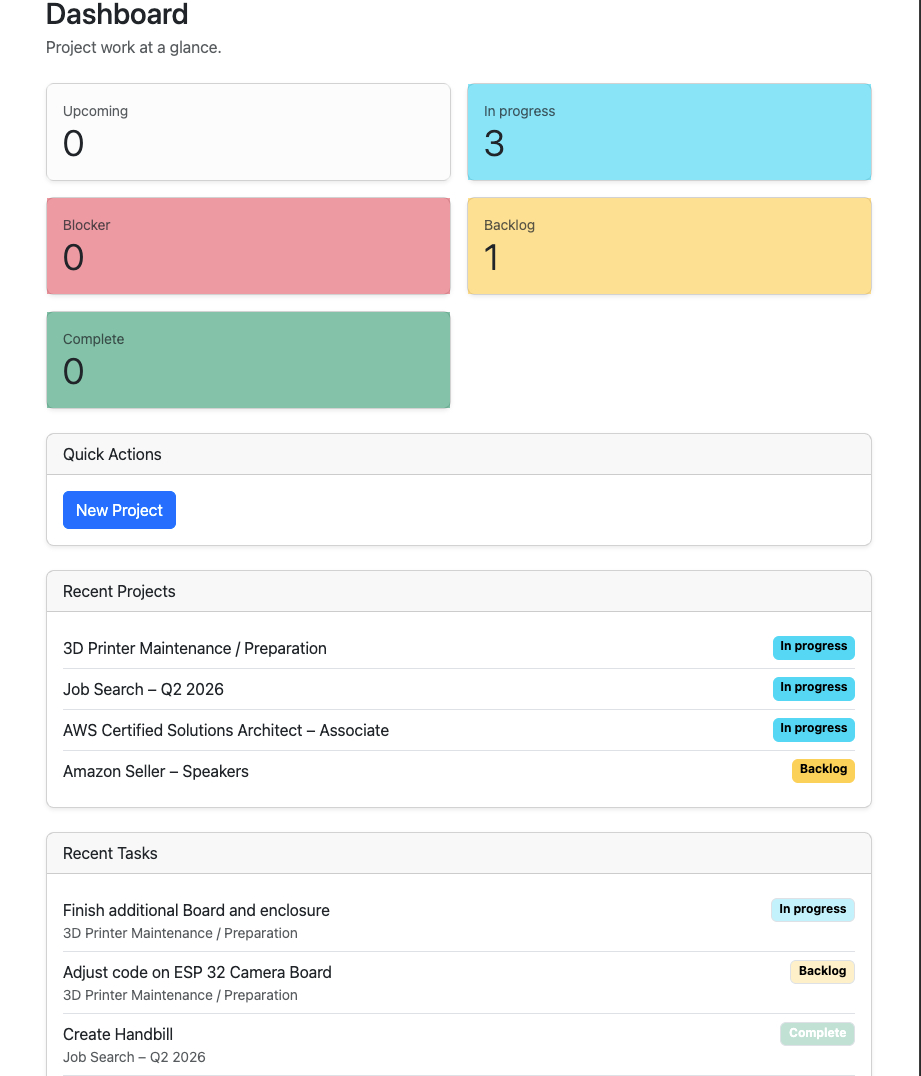
The dashboard acts as the central hub — giving a quick overview of projects, statuses, and overall workload distribution.
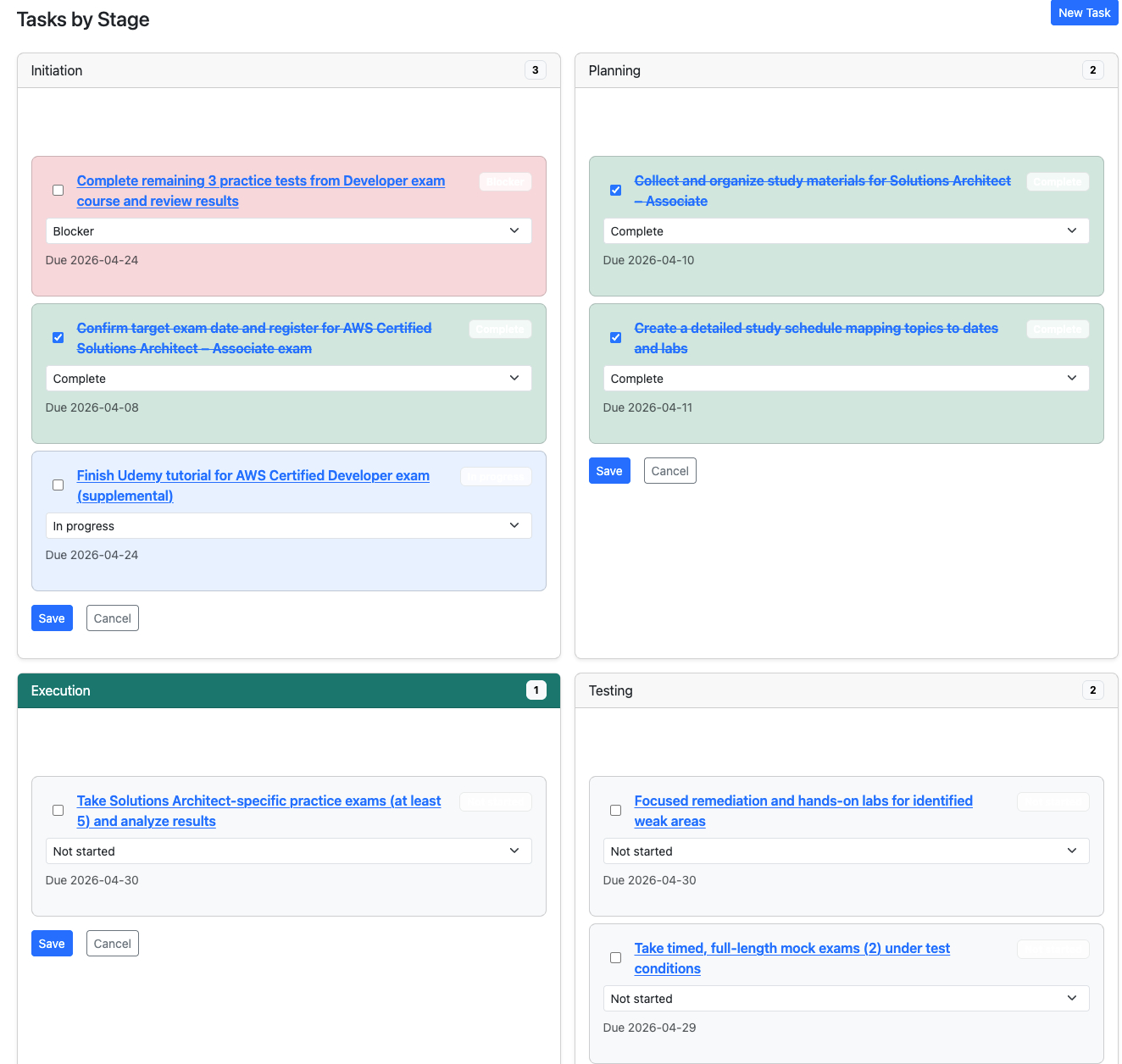
Tasks are grouped by lifecycle stages (Initiation → Planning → Execution → Testing → Wrap Up), making it easier to visualize progress and identify bottlenecks.
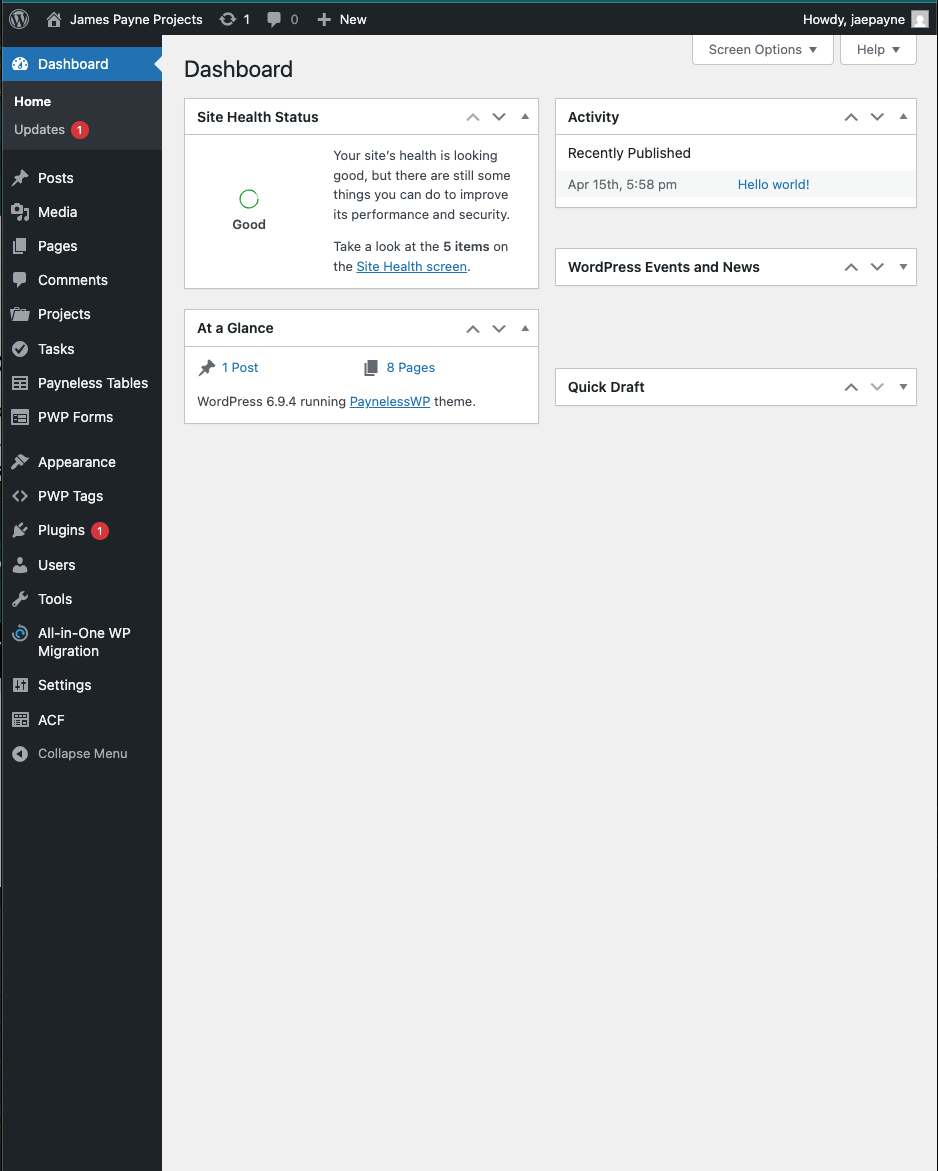
On the backend, everything is powered by custom admin interfaces that allow full control over projects, tasks, and supporting data structures.
This is just the foundation — but it’s already proving to be a much more scalable and maintainable approach than the original workflow-heavy version.
More updates coming soon.
Introduction to No-Code Platforms No-code platforms have been gaining traction in recent years. They promise to simplify the… Read more
Introduction In the world of web development, performance is key. A speedy website enhances user experience, drives SEO… Read more
